We are excited to announce the release of Cerbero Suite 9! All our customers with a valid license can now upgrade directly within the application. What follows are the most relevant new features.
Cerbero Shell
One of the main new features of this release is Cerbero Shell, a small command language designed for binary analysis. It powers the new shell view, is available in the analysis workspace as well as in other workspaces, can be run from the terminal with the cshell tool, and can be embedded by plugins through the Pro.Shell module.
At its simplest, the shell is a calculator that speaks the language of reverse engineering: integers are always displayed in both decimal and hexadecimal, while bitwise operations, bytes, and encodings are first-class citizens.
> 0x401000 + 0x1a2b0
4305584 (0x41b2b0)
> (1 << 20) - 1
1048575 (0xfffff)
> b64dec("TVqQ")
b"MZ\x90"
When a file is being analyzed, the shell exposes function domains for inspecting it: PE, .NET, ELF and Mach-O structures, strings, disassembly, and much more. Results are values, so they can be filtered with ‘grep’ and chained with the pipe operator. For instance, to check whether an executable imports GetProcAddress:
> pe.imports -> grep "getproc"
[0]:
  dll: "KERNEL32.dll"
  functions:
    [0]:
      name: "GetProcAddress"
The same style works everywhere: strings.filter rx.email rx:true keeps only strings that look like email addresses, dotnet.disasm(token) -> print prints the disassembly of a .NET method, and appending ? to any function name shows its documentation.
The language is intentionally not Python: it never executes arbitrary code, every function is read-only, and mutating operations require explicit consent. This makes the shell safe to expose even to automated agents. Plugins can extend it with their own functions.
The complete guide to the language is available in our SDK documentation.
Currently, only built-in file formats are exposed to Cerbero Shell. We’re in the process of exposing all applicable optional packages as well.
Filter Line Options
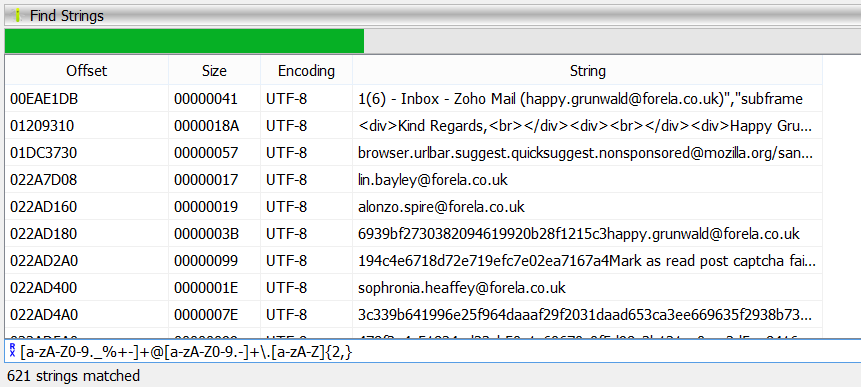
All filter lines now have options available, such as case sensitivity, whole-word matching, and regular expressions. Additionally, we provide a set of common regular expression search patterns for convenience.
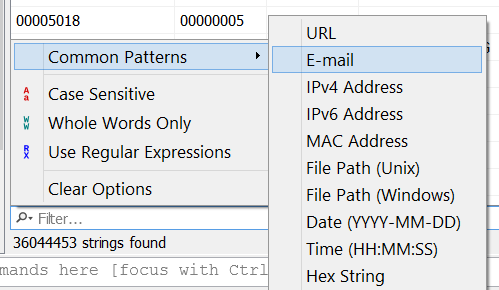
In this CTF memory challenge, we filtered by email, which gave us one of the flags.
File Search
File system views now support file search.
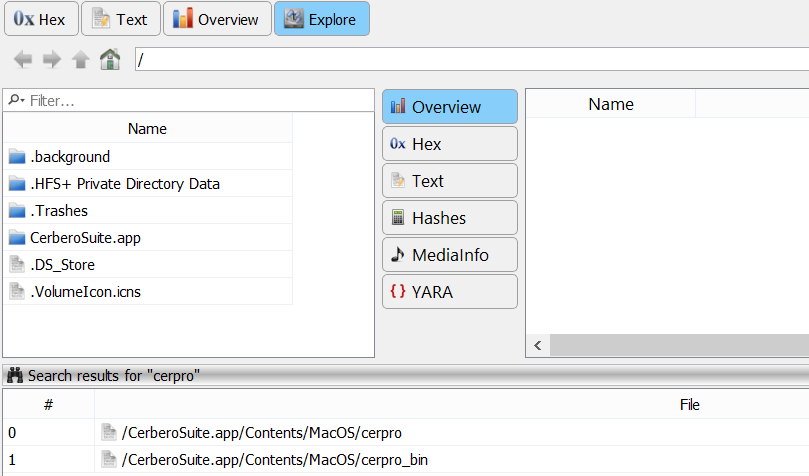
This is convenient when you need to search for specific file names within a file system.
System Settings
We have improved the system settings, and it is now possible to register context menu associations on Linux and macOS as well.
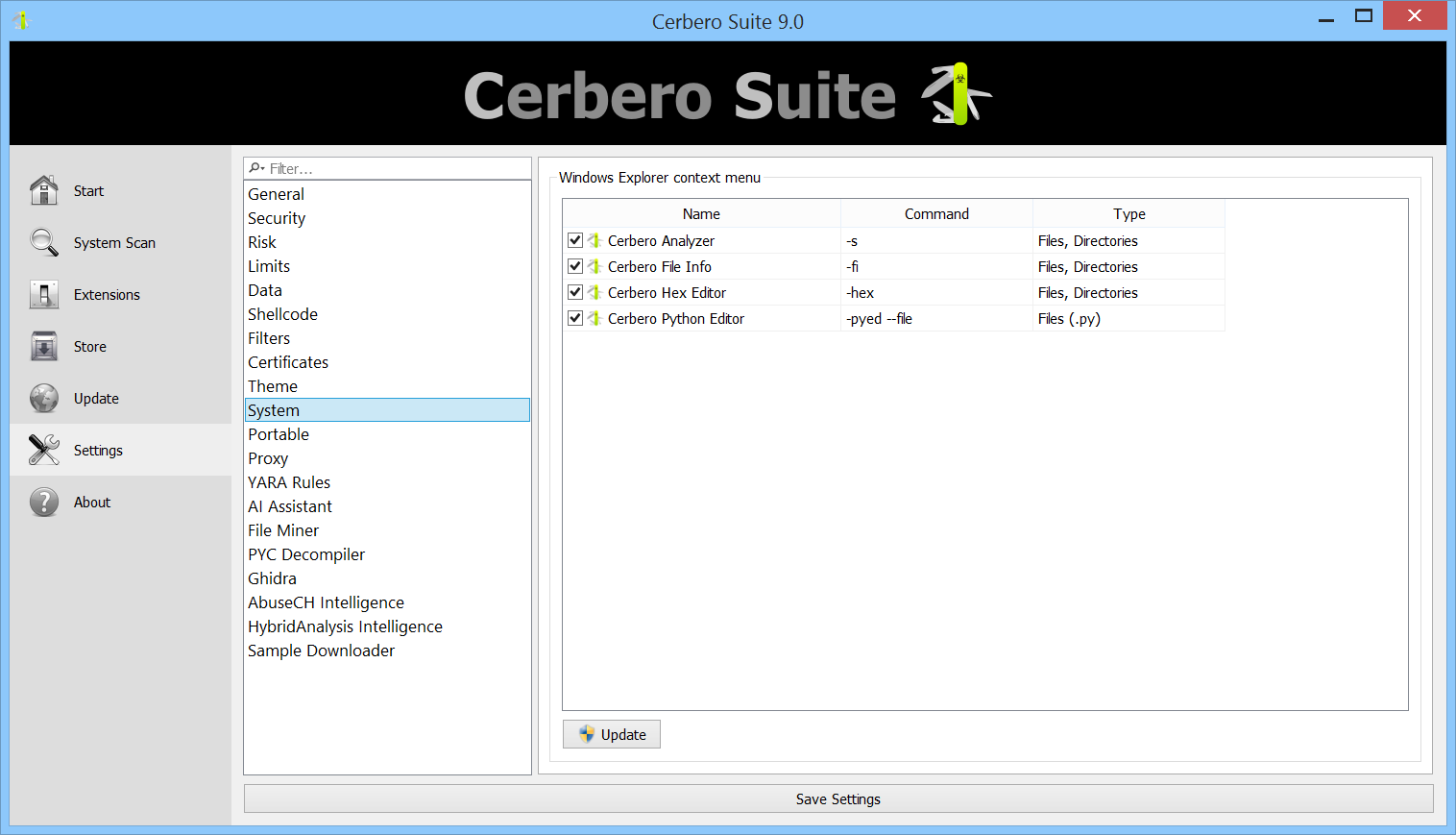
Additionally, plugins can register their own file associations.
Proxy Settings
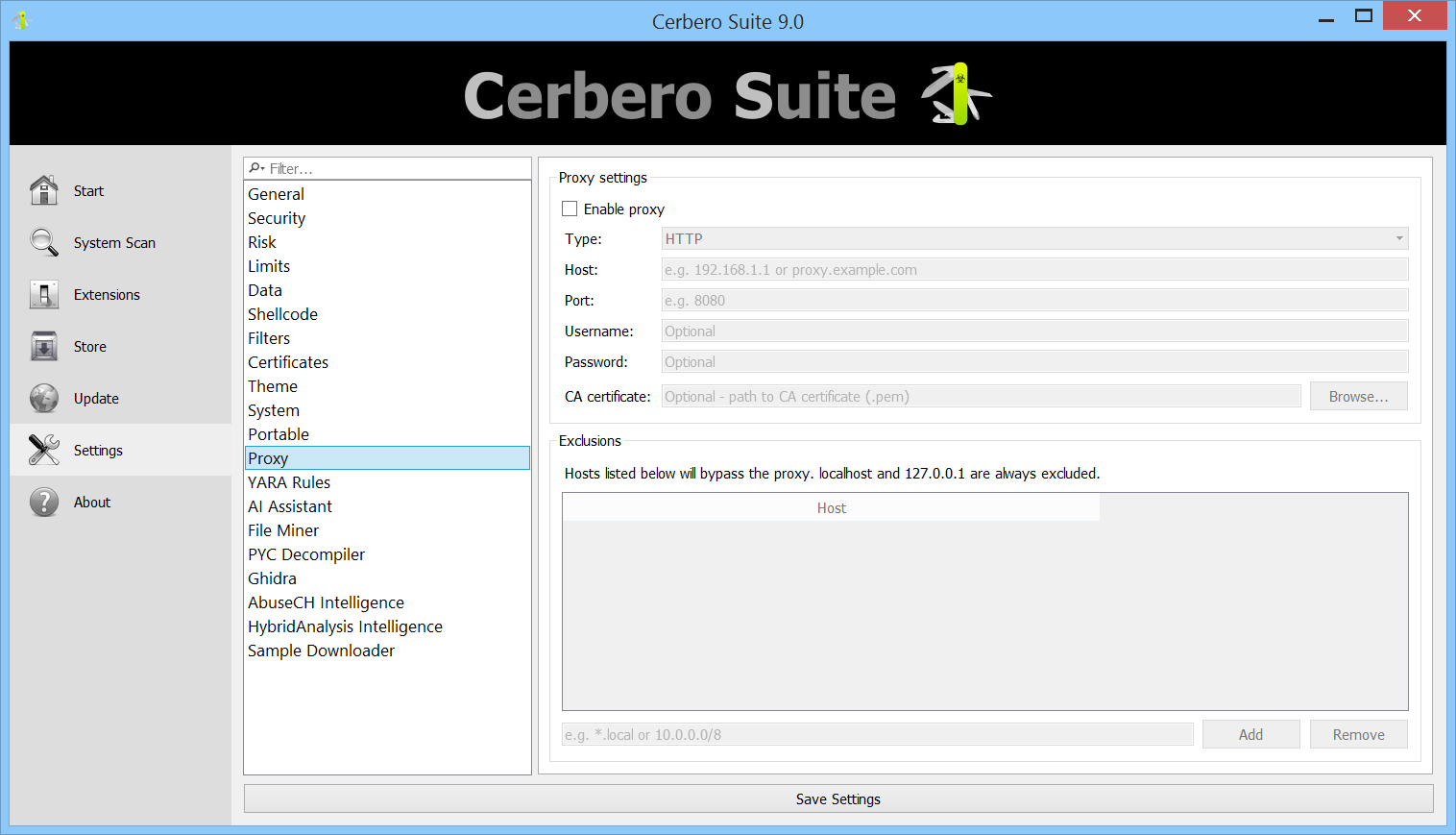
We have introduced proxy settings for organizations that need to route their network traffic through a proxy.
Miscellaneous
* Scan performance has been improved, especially for file types such as Portable Executable that use file ranges to detect foreign data.
* XML parsing has been greatly improved to handle malformed samples even better.
* The SDK has been expanded considerably.
* Packing filters have been added.
* Many bug fixes and improvements.